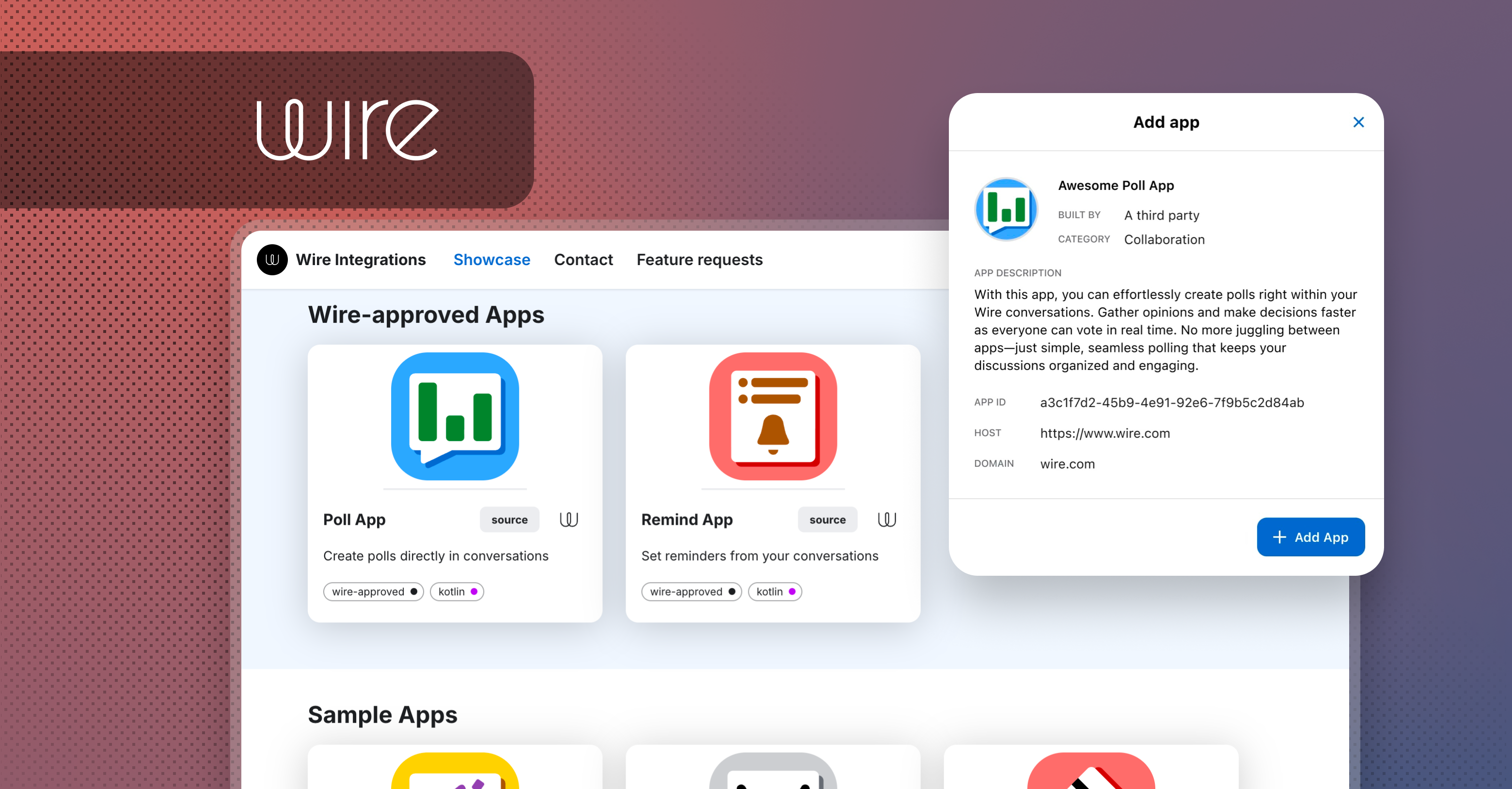
Build an app once, and share it with any other team - or, if another team has already built something you like, add it to your own team, by pasting a single App ID. No deployment, no code, no waiting.
That's the headline here. As a starter kit for trying this out, Wire has built two apps of its own - Reminder and Poll - that any team can add today. They're a trusted way to see how External Apps work before building your own.
What's an External App, and Why It Matters
In Wire's team settings, apps come in two flavours: Own Apps, the apps your team builds and runs for itself, and External Apps - apps built by any team, including your own, that any other team can add to their account just by pasting an App ID.
Any team can build an app and share it with any other team, or add an app someone else already built. Build once, and it can spread to any Wire team - your own organization's other departments, a customer, or a partner - the same way installing an app from an app store works, except every message the app sends or receives stays end-to-end encrypted inside Wire. When you add external apps to your team , make sure you got the app id from a trusted source.
How to Add an External App to Your Team
Whether it's an app your team built for others, one you liked from another team, or the Reminder/Poll starter kit below, the flow is the same:
- Select Settings, then Manage team (or go to teams.wire.com directly), and log in.
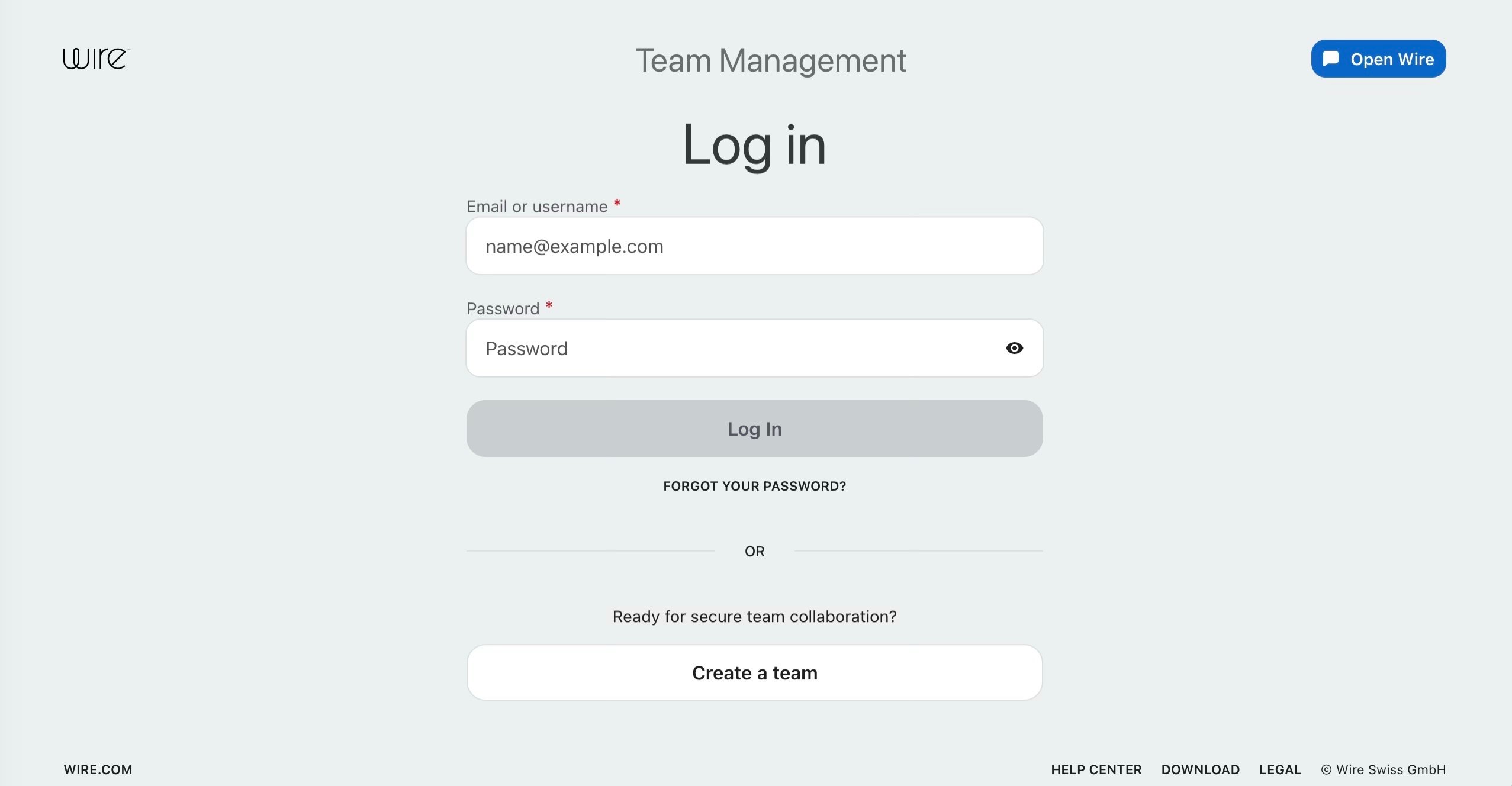 Logging in to Team Management.
- Select Integrations in the sidebar. Apps are split into Own Apps (built by your team) and External Apps (built by Wire or anyone else).
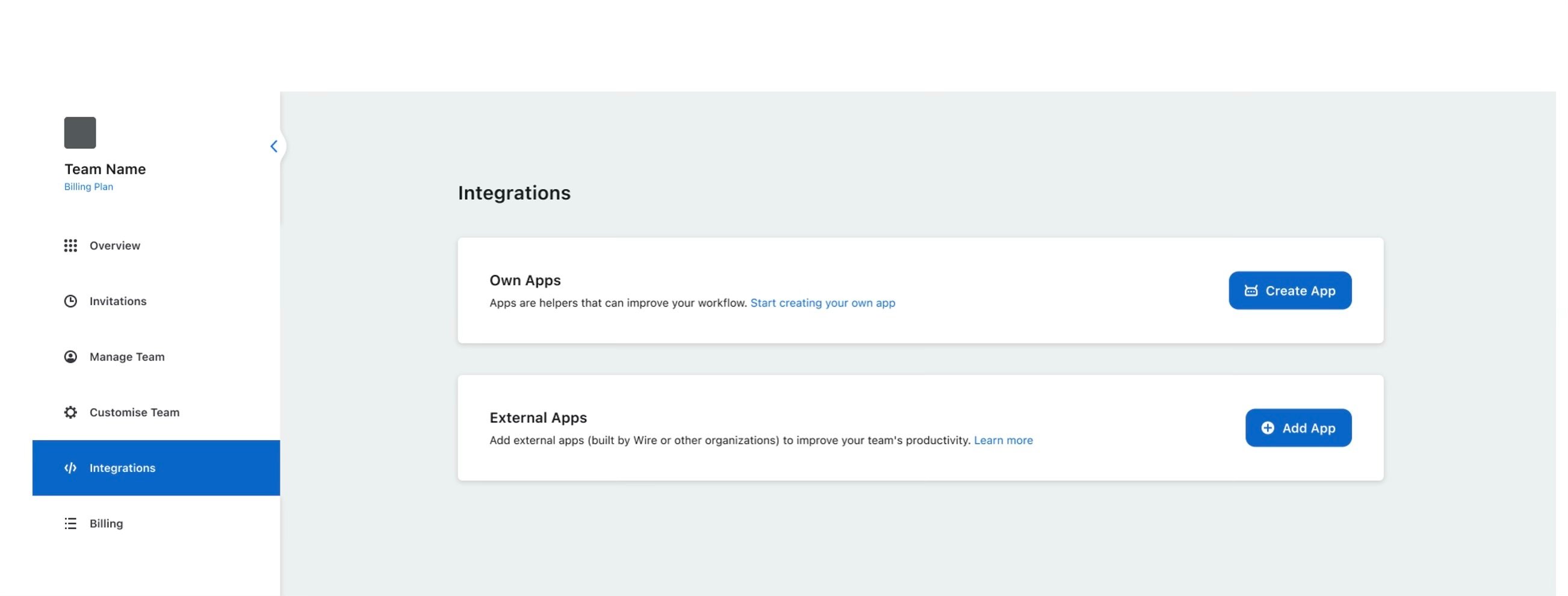
The Integrations tab in Team Management, showing Own Apps and External Apps.
- Select Add App under External Apps, and paste in the App ID.
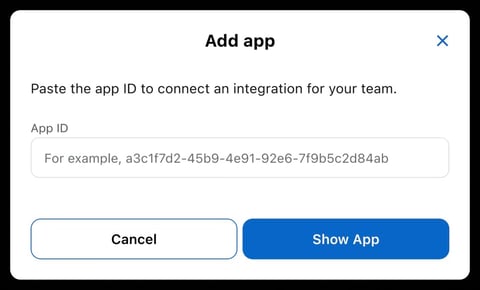
The Add app dialog, ready for an App ID.
- Review who built the app, what it does, and its details, then confirm to add it.
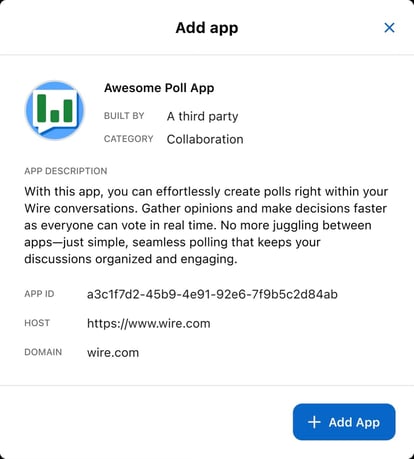
App details shown before adding — builder, category, description, and App ID.
Only add apps from sources you trust — but once you do, that's the whole setup. From here, it's up to your team members to add the app to whichever conversations they want it in.
Starter Kit: Two Trusted, Wire-Built Apps to Try
New to External Apps? Wire has built two of its own — Reminder and Poll — specifically so any team can try the flow above with something trusted, before building or adding apps from anywhere else.
Reminder App
Turns any conversation into a place where reminders live, fire, and get managed — without ever leaving the chat.
- One-time reminders. Tell it what to remind you about and when, in plain language.
- Recurring reminders. Daily standups, weekly reports, Monday check-ins — set it once and it repeats.
- Personal or shared. Set reminders for yourself in a 1:1 with the app, or for the whole team in a group conversation.
- Timezone-aware. Every reminder is read and delivered in your own timezone, set once in your 1:1 with the app, using the IANA name for your city (for example Europe/Berlin).
- Self-service management. List every active reminder with
/remind list, and delete any of them with a single tap. Type /remind help anytime for a refresher.
- Note: a conversation can hold a maximum of 5 active reminders at a time.
Once added, it introduces itself and shows exactly what to type. Creating a reminder is one line, and the app confirms it immediately with the exact time and timezone it will fire in:
Reminder App ID: 0203b6e6-59f7-4a71-bd89-b52045f322da
Read the full documentation here and learn more about the Reminder App on this support article.
Poll App
Lets you create and run polls directly inside a Wire conversation, so you can get quick, anonymous feedback from your team without leaving the chat.
- Anonymous voting. No one — including the poll's creator — can see who voted for what.
- Live results, no closing required. Anyone in the conversation can view the current vote count at any time.
- One line to launch a poll. Ask a question, list the options, done.
- Built-in help. Type
/poll help anytime for a refresher on commands.
Poll App ID: 64b8bc67-77da-43dc-9d97-bf857627de07
Read the full documentation here and learn more about the Poll App on this support article.
Under the Hood: Security You Don't Have to Think About
Apps are cryptographic participants in the conversation. Each app authenticates with its own credentials, receives events over a persistent connection, and decrypts messages locally, the same way a human's Wire client does. The Wire backend only ever sees ciphertext - there's no separate server decrypting a message to process a reminder or tally a vote.
That's true whether the app was built by Wire or by a third party, and it's true regardless of which team adds it. External Apps let the ecosystem grow without ever moving the encryption boundary.
One thing worth being clear-eyed about: an External App is hosted by the team that built it, not by Wire. That team's infrastructure is what your app connects to when it authenticates and exchanges events - Wire doesn't run it for them. So while the encryption model doesn't change no matter who built the app, the operational trust does: you're trusting the host team to run that infrastructure responsibly. Only add an External App from a source you trust, and treat the App ID the same way you'd treat any credential you're handing to another team's service.
Build Your Own App — and Share It
Reminder and Poll were built entirely on Wire's Integrations SDK, then share it as an External App for other teams to add. It's available for the JVM (Kotlin, Java) and, as of a recent release, for JavaScript and TypeScript as well, so you can build in whatever language your team already works in.
A reminder or a poll barely scratches the surface of what's possible. Because your app runs on your own infrastructure and sits inside the encrypted conversation, it can just as easily connect to any LLM — cloud-hosted or fully self-hosted, for teams that can't let conversation data leave their systems — or bridge into Jira, Zendesk, Salesforce, or practically any external system your team already relies on. Notifications, approvals, translations, summaries, compliance checks — if you can describe the workflow, the SDK gives you the building blocks.
Browse working examples and starter code at dev.wire.com/showcase — including Reminder and Poll themselves — for inspiration, or to see how a similar app was put together.
Key takeaways
- External Apps let any team build an app once and share it with any other team by pasting a single App ID — no deployment, no code, no waiting.
- Two Wire-built apps, Reminder and Poll, are available today as a trusted starter kit for trying the flow.
- Every app is a cryptographic participant in the conversation — the Wire backend only ever sees ciphertext, no matter who built the app.
Full setup guides, API references, and sample apps (Kotlin/Java and TypeScript) are at dev.wire.com — also the place to request sandbox or staging access. Start building your first app.