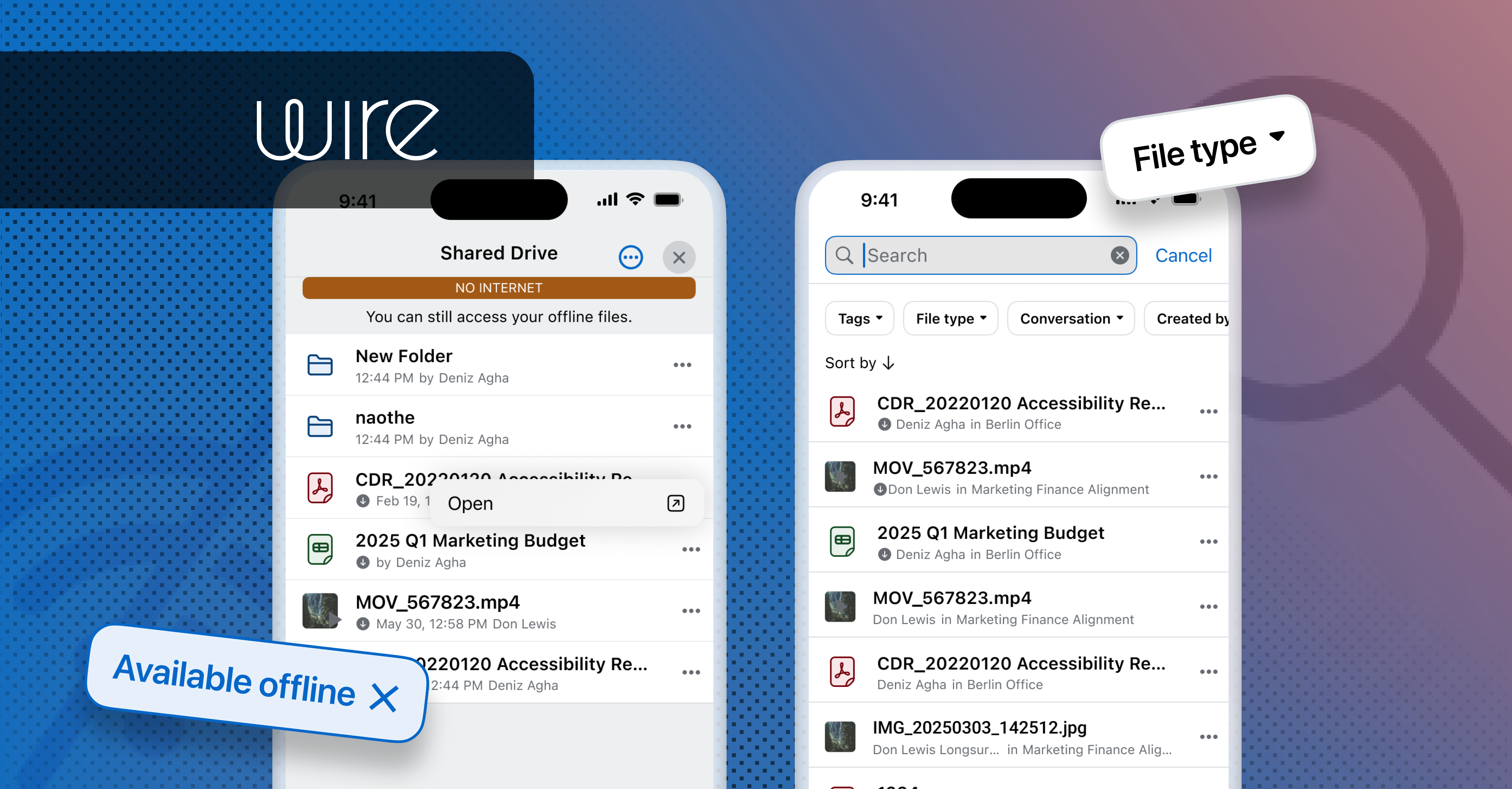
Wire Drive on mobile is getting two upgrades: files are now available offline, and finding them is faster with improved search, filters, and sort.
Connectivity cannot always be assumed, and large file libraries need more than scrolling to navigate. For field operatives, mobile workers in restricted network environments, and professionals operating under strict security controls, both of these are daily realities — not edge cases. This release addresses both.
What’s new
Wire Drive continues to evolve as a secure, in-app file management experience — and this release focuses on two upgrades that give users more flexibility and control over how they access and organize their files: offline file availability and enhanced search, filtering, and sorting.
MOBILE
Make files available offline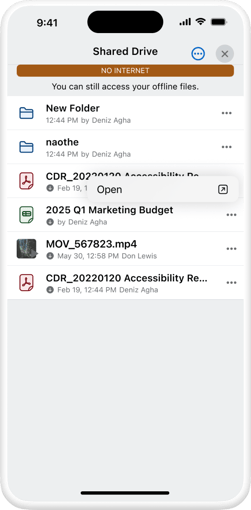
Wire Drive users on iOS and Android can mark individual files for offline access from the Drive file list or a Shared Drive. Selected files download to the device and show a downloaded indicator in the file list.
Once downloaded, files are available in read-only mode.When you are offline, the interface adapts automatically:
- Drive shows which files are locally cached
- Actions requiring a server connection are disabled
- Users always have a clear picture of what's available
Removing a file from offline storage is just as simple — users manage cached files directly and free up device storage on their own terms.
What's supported in this phase:
- File types with in-app preview support (PDFs, images, and similar formats) — covering the documents that matter most in the field.
- Not yet included: Collabora files and folder-level offline availability, both of which require a live server connection.
MOBILE & WEBAPP
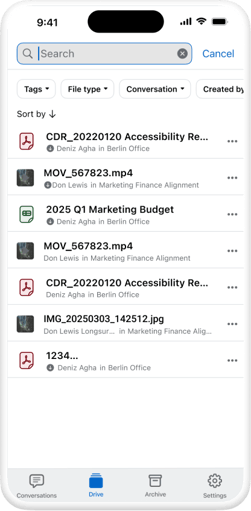
Search, filters, & sort by
On mobile and webapp, as teams store more files in Wire Drive, being able to quickly locate the right document becomes just as important as being able to store it securely. This release introduces improved search, filtering, and sorting capabilities, designed to help users navigate their files faster and with less friction — cutting down the time spent scrolling or guessing where a file might be.
Together, these tools make Wire Drive easier to use at scale, whether someone is managing a handful of shared documents or navigating a much larger, organization-wide file structure.
Why it matters
Many Wire customers operate in environments where unreliable or intentionally restricted connectivity is a daily operating condition — not an exception — and where the volume of files in play makes fast, reliable search just as critical. Government deployments, regulated enterprises, and organizations with strict network controls need a secure document layer that keeps working when the network doesn't, and that helps users find what they need without friction. Offline access and improved search close both of those gaps.
Neither of these is a convenience feature. For the professionals Wire is built for, accessing a briefing document, a technical reference, or an operational file without network dependency and finding it quickly in the first place are hard requirements. The alternative, such as copying files out of Wire into less secure storage as a workaround, or spending valuable time hunting for a file across a growing archive, is exactly the kind of behavior and inefficiency that erodes the security posture and productivity Wire exists to protect.
Wire Drive as a platform capability
These two upgrades mark another step in the ongoing maturation of Wire Drive from a file-sharing add-on into a first-class document platform within Wire. The underlying work, such as adaptive UI states, clear offline/online signaling, and more capable search and filtering, reflects that same direction: giving users more control and flexibility over how they access and organize their files, wherever they're working from.
Wire Drive is being built to meet the real operating conditions of the organizations that depend on Wire. This release is another piece of that foundation.
Availability
Both offline file availability and the improved search, filters, and sort experience are available to all organizations with Wire Drive enabled. No additional configuration is required.
Learn more on how to use Wire Drive in conversations