A step-by-step guide to managing shadow IT: create visibility, talk to teams, replace consumer apps with governed tools and prepare a crisis channel.
To manage shadow IT, start by creating visibility into the tools people use, then talk to the teams using them to understand why. Set priorities by risk, decide which tools to approve, replace or retire, and give employees governed tools that are as easy to use as the apps they chose themselves. Messaging and crisis communication need a plan of their own.
Shadow IT is rarely a sign of bad intent. People reach for the fastest tool when a deadline is close, a partner sits outside the organization or the official tool doesn't work well on a phone. This guide turns that insight into a practical program, built on experience from Wire's own security team. In this guide, we'll cover:
- What managing shadow IT means, and why bans alone don't work
- An 8-step program, from visibility to crisis preparedness
- What a shadow IT policy should include, and how to measure progress
- How to bring work messaging and external collaboration back under control
To see how Wire keeps work conversations governed without slowing teams down.
Key takeaways
- Shadow IT signals that official tools don't fit how people work. Managing it starts with understanding that gap.
- Visibility comes first, but personal phones and consumer messengers stay partly invisible without a bring-your-own-device policy or technical controls, so conversations with teams matter as much as discovery tools.
- Bans on their own tend to move work further out of sight. A governed alternative that people want to use is what changes behavior.
- Messaging needs special attention, because consumer apps offer no central way to remove leavers or external partners from work conversations.
- Wire gives teams a messenger as easy as the apps they know, with central user management, guest access for external partners and always-on end-to-end encryption.
What does managing shadow IT mean?
Shadow IT is any technology employees use for work without the approval or oversight of their IT department, from personal cloud storage and unapproved software to AI tools and consumer messaging apps. Managing it means three things: knowing which tools are in use, making a clear decision about each one and giving people approved tools that meet the needs that led them to shadow IT in the first place.
The goal is control over where the organization's information goes. Eliminating every unapproved tool is rarely realistic, and it isn't necessary when the information that matters stays inside governed systems.
Shadow IT has many layers. Before software as a service, IT was largely a closed shop: anyone who needed a new server or service had to ask. Freemium accounts changed that, because every employee could suddenly pick the tool that fit their needs, often for free. AI has added a new layer on top, and the same is true for messengers: consumer apps arrived on every phone long before most organizations had a governed alternative.
Why don't bans alone stop shadow IT?
Most employees who use shadow IT are trying to get their job done. In Wire's State of Secure Collaboration 2026, a survey of 208 IT, security and compliance leaders in Germany, France and the UK, the most common reason for bypassing official tools was an urgent situation where a faster alternative was needed, cited by 47%. External partners who don't use official tools followed at 37%, and official tools that are too complex at 30%.
The same pattern shows up beyond Europe. In a Gartner survey of 1,310 employees, 69% said they had bypassed their organization's cybersecurity guidance in the past 12 months, and 74% said they would do so if it helped them or their team achieve a business objective.
A ban removes a tool and leaves the need in place. When the need remains, work moves to the next workaround, often on personal devices where it is even harder to see. That's why every step below combines control with a usable alternative.
42% of organizations use WhatsApp, Signal or similar consumer messaging apps for work collaboration, and 84% rate their collaboration environment as secure. Only 29% say their current tools are fully suitable for sensitive communication.
How do you manage shadow IT? An 8-step program
The steps below follow the order a security team can work through in practice. Each step ends with a clear signal for when to move on, so you always know where you stand.
Step 1: Set your starting point
"Shadow IT is a huge beast," says Wire's Director of Information Security. "Every company has to deal with it in one way or another." What it looks like depends on your environment. A ministry with tightly managed devices and filtered internet access faces a different problem from a fast-moving company where employees can install what they need.
- Describe how tightly you control devices, internet access and software installations today.
- Agree on your risk appetite with leadership. Every control costs money, staff time and employee comfort, so decide which ones are worth it.
- Be realistic about capacity. A small IT team can't run a large inventory project, so choose controls you can maintain.
Move on when: leadership has agreed how strict you want to be and who owns the decisions.
Step 2: Create visibility
"Without visibility, you don't have a chance to move on." The first step is finding out what is actually happening.
- Review your identity provider, single sign-on and proxy logs to see which third-party services people use with company accounts.
- Check expense reports and corporate card statements for software bought outside IT.
- Use your security and compliance tools to see who accessed what.
- Check whether employees use personal messengers to share work-related information.
Without a bring-your-own-device policy or technical controls that cover personal devices, consumer messengers will stay partly invisible to these tools. Step 4 fills that gap.
Move on when: you have a first list of the tools and services in use, even if it's incomplete.
Step 3: Build an inventory
Turn the list into something you can act on.
- Count how many people use each tool. One user is an exception, while fifty users show real demand.
- Note what kind of information each tool touches.
- Record the owner of each tool, if there is one.
- Set aside one-off tests, such as someone trying an AI service once.
Move on when: every tool on your list has a number of users and a type of information next to it.
Step 4: Talk to the people using these tools
The conversation teaches you more than any log. Ask two questions: why are you using it, and what information are you sharing in it?
- Treat it as fact-finding. People usually mean well and are trying to get their job done.
- Listen for the common answers: they didn't know an approved tool existed, they assumed there was no budget for one, or the approved tool was too slow or complicated.
- Ask specifically about messaging. Field teams, project teams with external partners and leadership are the most likely to coordinate in consumer apps.
Move on when: you know why each common unsanctioned tool is in use and what gap it fills.
Step 5: Set priorities by risk
Not every case of shadow IT needs the same urgency.
- Rank each tool by the confidentiality of the information shared in it, from routine coordination to personal data to sensitive business information.
- Start where sensitive information meets wide use. A team coordinating lunch can wait. On-call duty plans or customer data in a private account or on a private device can't.
- Flag anything involving external partners, since access often outlives the project. In our survey, 61% say access to shared files remains active longer than intended.
Move on when: you have your top three tools to act on.
Step 6: Decide whether to approve, replace or retire
Every priority tool needs a clear decision. Use the table below to decide quickly.
|
Decision
|
When it fits
|
What to do
|
|
Approve
|
The tool meets a real need for many people
|
Review its business case and its security and privacy requirements, then offer an official version
|
|
Replace
|
An approved alternative exists, and people don't use it
|
Find out why, and fix the usability or awareness problem
|
|
Retire
|
The tool carries risk without a real need
|
Phase it out with a clear date and an alternative in place
|
Then publish a list of approved tools that every employee can find easily, along with a simple way to request new ones.
Move on when: each priority tool has a decision, and employees know about it.
Step 7: Bring messaging under control
Messaging needs its own step, because consumer apps lack the basics an employer needs. "You cannot offboard someone centrally," says Wire's Director of Information Security. When an employee resigns, every group they belong to has to be cleaned up by hand, each by its own administrator, and nothing stops a former employee from being added back.
- Choose a messenger with central user and group management, offboarding, controlled access for external partners, exportable records and a data processing agreement.
- Make sure it's as fast and familiar on a phone as the apps people use today. A replacement that feels harder pushes people straight back into the shadows.
- Recreate the groups people actually use, invite external partners from day one and set a date after which work stops happening in consumer apps.
Move on when: you can remove a leaver from every work conversation in one step.
Step 8: Prepare for a crisis
In a crisis, the first question is a human one: can people reach each other, and is everyone accounted for? Ransomware can take every company communication channel down within minutes, and modern telephone systems often go with it, because they run on software too. Many crisis plans assume the main collaboration suite will keep working and have no fallback if it goes down.
Before a crisis
- Name a governed fallback channel in your crisis plan for when the main collaboration suite goes down.
- Set up the crisis team in that channel in advance, including team leads, external partners and key suppliers.
- Make sure everyone can join from a phone, since laptops and office networks may be unavailable.
- Test the channel in an exercise at least once a year.
During the first hours
- Focus on communication first: people need to reach each other, coordinate the response and confirm that everyone is accounted for.
- Expect this hot phase to last anywhere from a couple of hours to a day, and keep the core crisis team small and clearly defined.
Once the situation is stable
- Move to a structured response: document decisions, review who has access to what and plan the return to normal operations.
- Review how communication worked, and update the crisis plan with what you learned.
You're done when: your crisis team has used the fallback channel in a real exercise. For a full template, read our guide on building an incident response plan.
What should a shadow IT policy include?
A shadow IT policy works when employees can follow it without slowing down. Keep it short and practical:
- Approved tools by type of work, including messaging, file sharing and external collaboration.
- What information must never go into personal or unapproved services, with examples people recognize.
- How to request a new tool, with a named contact and a clear response time.
- What to do if a tool is already in use, so people can come forward without fear of blame.
- Rules for personal devices, covering which work apps may run on them and how work data is kept separate from private data.
- A rule for work messaging, naming the approved messenger and stating that work groups don't run in consumer apps.
Review the policy every six to twelve months, since tools and teams change quickly.
How do you measure progress?
Pick a few indicators and track them every quarter.
|
Indicator
|
What it tells you
|
|
Share of discovered tools with a decision
|
Whether your inventory leads to action
|
|
Time to remove a leaver from all work tools and conversations
|
How well offboarding works in practice
|
|
Active external participants, and how many have an end date
|
Whether partner access ends with the work
|
|
Share of priority teams working in approved tools
|
Whether the replacement is actually adopted
|
|
Result of the latest crisis channel test
|
Whether you're ready when the main suite goes down
|
How Wire helps you manage shadow IT in communication
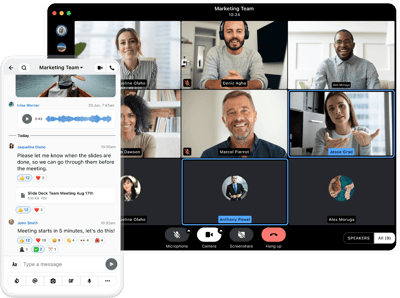
Wire gives employees a messenger as easy to use as the apps they already know, and gives IT and security teams the governance consumer apps lack. It covers messaging, calls, conferencing and file sharing in one governed environment.
Key features:
- End-to-end encryption by default: every message, call and file is protected without anyone having to switch it on. Learn how Wire's architecture works.
- Messaging Layer Security (MLS): the open standard for secure group messaging, which Wire co-invented.
- Central identity management: SAML single sign-on, SCIM provisioning and LDAP or Active Directory, so access follows the role. See Wire's enterprise SSO.
- Guests and external roles: external partners join through guest access that IT controls. Explore secure external collaboration.
- Legal hold: keep records of work conversations when your organization needs them.
- Flexible deployment: Wire Cloud, private cloud or on-premises, so you decide where your data lives. Compare deployment options.
- Approved for classified information: Wire Bund is BSI-approved for VS-NfD communication in Germany.
More than 1,800 organizations already use Wire to secure their communication. Read their stories.
Or contact us to see how Wire can replace consumer apps in your organization.
Start with one question
If you do just one thing this week, ask yourself whether you could prove that no former employee is still in a work chat group. With consumer apps, the honest answer is usually no. That answer shows how much of your work already happens where you can't see it, and where to start.
Frequently asked questions