Learn how zero trust security works, its core principles, architecture, benefits, and how it protects enterprise data and communications.
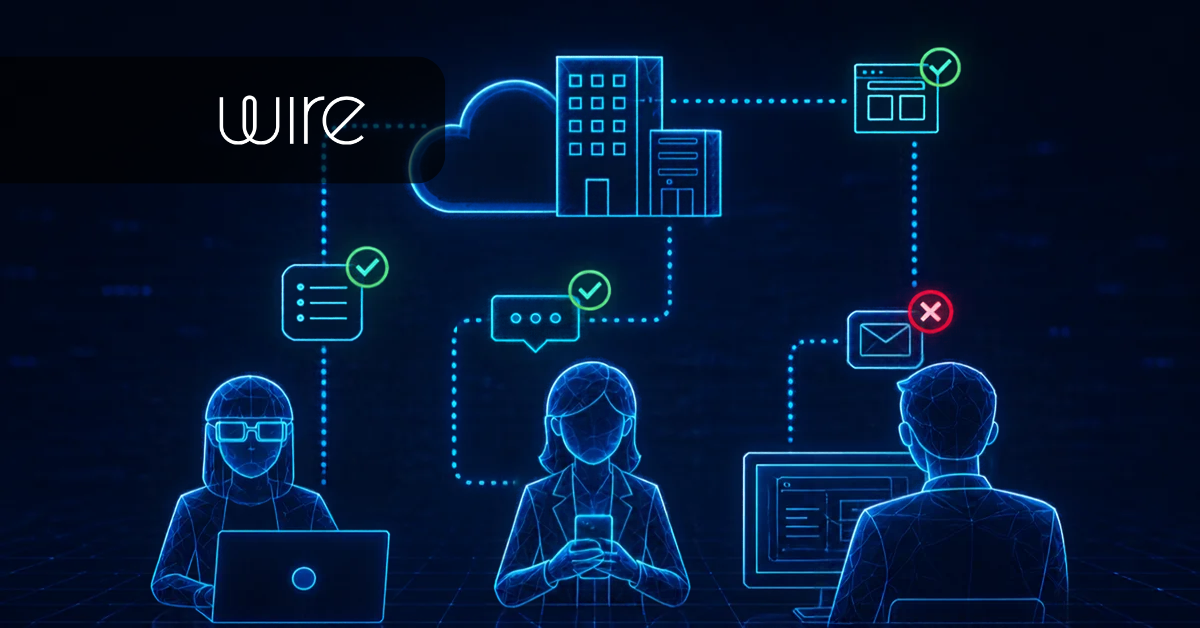
Zero trust security is a cybersecurity approach that requires organizations to verify users, devices, and applications before granting access to sensitive resources.
As enterprises adopt cloud services, support remote employees, and collaborate with other departments and external partners, security teams have to manage more identities, devices, and access points. Zero trust helps with that. In this guide, we’ll look into:
- Principles of zero trust
- How it works and how to implement it in your organization
- Benefits of opting for this security model
- How it applies to enterprise communication
To know more about how Wire supports zero trust principles at the communication and collaboration layer, book a demo with our team.
Key takeaways
- Zero trust security requires continuous verification of every user, device, and application, rather than granting broad access once someone is inside the network.
- NIST SP 800-207 and CISA provide the standards for adopting this security model, which are related to identity, devices, networks, applications and workloads, and data.
- Zero trust network access (ZTNA) replaces VPN-style broad network access with narrow, application-specific connections that are verified on every request.
- Most security programs focus on identity and network access first, but leave collaboration tools like messaging, calls, and file sharing unaddressed, even though employees use them every day for sensitive communication.
- Wire extends zero trust principles into that layer with always-on end-to-end encryption, device verification, and no standing administrator access to content.
What is Zero Trust Security?
Zero trust security is an IT framework that requires strict identity verification for every user and device trying to access company resources, refusing to trust anything inside or outside the network by default. It works on the principle "never trust, always verify” where every user, device, application, and service requesting access to organizational resources must meet the relevant authentication and authorization requirements.
According to NIST Special Publication 800-207, zero trust removes implicit trust based on network location or ownership of an asset. As a result, the organization has to authenticate and authorize access regardless of whether the request originates from an internal network, a remote employee, or a third-party system.
To put these principles into practice, organizations use a zero trust architecture (ZTA). NIST defines three core components: a policy engine that evaluates access requests, a policy administrator that establishes or terminates authorized connections, and a policy enforcement point that controls access to protected resources. Together, these components help enforce consistent security policies across users, devices, applications, and data.
Why is Zero Trust Security Important?
Zero trust security is important because the traditional perimeter model doesn’t provide enough security for the complex, distributed, and AI-driven networks that most organizations use today.
- Remote and hybrid work: Employees connect from home networks, coffee shops, and personal devices that IT has limited visibility into, if any. A VPN can authenticate that connection at the start of a session, but it typically can't account for what happens to that device afterward, whether it picks up malware, gets left unlocked, or gets used by someone other than the employee it was issued to.
-
Cloud adoption: Enterprise applications and sensitive information are increasingly distributed across public cloud, private cloud, and on-premises environments. A security strategy built primarily around the corporate network perimeter can’t consistently protect resources that operate outside that boundary.
- Identity compromise: If an attacker obtains valid credentials through phishing, credential stuffing, or a cybersecurity data breach, a perimeter-based network has no reason to treat that login as suspicious.
- Third-party access: Your company may work with suppliers, contractors, consultants, and external agencies that need access to internal applications and confidential information. Zero trust provides a framework for enforcing these boundaries through identity verification, granular permissions, and access lifecycle management.
When you consider all these threats and the fact that most organizations have to manage them daily, it becomes clear why security leaders prefer the zero trust model.
What are the Core Principles of the Zero Trust Security Model?
The core principles of the zero trust security model are continuous explicit verification, least-privilege access, and the assume-breach method. Some frameworks also include microsegmentation.
Continuous Verification
As we mentioned above, this security model uses the ‘never trust, always verify’ approach, which means access is never granted permanently. A user or device that passes authentication at the start of a session isn't automatically trusted for the rest of that session.
Instead, the system re-evaluates risk signals on an ongoing basis, including device health, location, behavior patterns, and time since the last verification, and can revoke or restrict access if those signals change.
In practice, this looks like a session that times out and requires re-authentication after a period of inactivity, or an access request that gets flagged for additional verification because it's coming from an unfamiliar location or an unusual time of day. The goal is to ensure trust reflects the current state of a user and device, not a login from months ago.
Use Least-Privilege Access
Least-privilege access means giving users and devices only the minimum access required to complete their specific task. This shifts away from role-based access models that tend to grant broad permissions, often leaving employees with far more access than their jobs require.
Applying least privilege well usually involves:
- Scoping access at the application or even operation level, rather than granting blanket access to an entire system.
- Reviewing and revoking permissions regularly based on roles and changes within the company.
- Using just-in-time access for sensitive systems so elevated permissions are granted only for the duration a task actually requires and expire automatically afterward.
Assume Breach
Given the rise in security breaches, even within government organizations, it's important for security models to assume that such incidents are bound to happen and prepare the contingency plan accordingly.
Assuming breach means designing security controls as though an attacker has already gained a foothold somewhere in the network. This mindset shifts the emphasis from prevention alone toward detection, containment, and rapid response.
An organization operating under this assumption invests in continuous monitoring, encrypts data even when it's already behind other defenses, and builds business continuity procedures that assume the attacker is already inside rather than treating that as an exception. It's a more realistic starting point and helps you prepare for the worst-case scenario.
Microsegmentation
Microsegmentation is the practice of dividing a network into small, isolated zones, so that gaining access to one part of the network doesn't automatically grant access to any other part. Instead of one flat network where a compromised device can potentially reach anything, microsegmentation creates boundaries around specific applications, workloads, or data sets, each requiring separate authorization
What are the Five Pillars of Zero Trust?
The Cybersecurity and Infrastructure Security Agency (CISA) breaks zero trust implementation into five pillars (identity, device, networks, application, and data). These pillars help organizations evaluate their existing security controls and plan improvements across their infrastructure.
- Identity: Every human and non-human identity that requests access needs to be verified before granting access. This pillar typically includes multi-factor authentication (MFA), single sign-on (SSO), and identity governance that manages the full lifecycle of an account from creation to deactivation. As AI agents and automated workloads increasingly request access to enterprise systems, this pillar has expanded to cover non-human identities as well, which need the same rigor, if not more, applied to their permissions and lifecycle.
- Devices: This pillar focuses on the actual devices where employees may work. Every device connecting to enterprise resources, including laptops, mobile phones, servers, and IoT devices, needs to be inventoried, verified, and continuously assessed for compliance with security policy.
- Networks: Covers the shift from flat, broadly accessible networks toward microsegmented environments where traffic between systems is deliberately restricted. It also includes encrypting traffic in transit and monitoring for unusual patterns that might indicate a threat is already moving through the network.
- Applications and workloads: This pillar focuses on authentication, authorization, and monitoring of enterprise applications and the services supporting them.
- Data: Data needs to be classified according to sensitivity, encrypted both in transit and at rest, and protected by access controls that reflect who actually needs it and why.
How Does Zero Trust Security Work?
Zero trust works by replacing traditional perimeter defenses with a security model that authenticates and authorizes every single access request, regardless of whether the user or device is inside or outside the corporate network.
- Verify user identity and device trust: Every access request starts with authentication, typically involving MFA, along with an assessment of the requesting device's security posture and compliance status.
- Evaluate access requests using a policy engine: The request is checked against enterprise policy, considering identity, device health, location, and available threat intelligence, to determine whether to grant, deny, or restrict access.
- Enforce access decisions at the policy enforcement point: If access is granted, it happens at the point where the user connects to the resource, establishing a narrow, specific connection rather than broad network access.
- Continuously monitor and reassess access: None os the users or devices get permanent access. Ongoing monitoring watches for changes in behavior, device posture, or risk signals to protect the company from threats.
- Limit lateral movement through microsegmentation. If a device or account is compromised during an active session, microsegmentation contains the impact to the specific zone that account had access to.
Steps to Implement ZTA at Your Company
If you’re considering implementing this security model, do so in phases starting with your most critical resources and gradually extending security controls across the infrastructure.
- Identify critical assets and map existing access: Start by identifying the data, applications, and systems that actually need the strongest protection. This step, sometimes called defining the protect surface, gives your security team a realistic starting point.
- Strengthen identity and device security: Implement MFA, SSO, and identity governance to establish reliable authentication and access management.
- Implement least privilege and microsegmentation: Restrict permissions to what users and services need for their responsibilities. Segment networks and workloads to limit unnecessary connections and reduce the potential impact of compromised accounts.
- Extend zero trust to communication and collaboration: Apply identity verification, device security, encryption, and access governance to communication & collaboration software, because that’s where most of the information exchange happens.
- Test, measure, and continuously improve: Finally, review access policies regularly, and monitor security incidents and employee feedback. Update controls as applications, devices, and business requirements change.
Challenges of Implementing Zero Trust
Some of the main challenges of implementing a security model based on zero trust:
- Legacy applications may lack support for newer authentication protocols or granular access controls, so security teams may need additional gateways, application updates, or compensating controls to protect these systems.
- Identity fragmentation across multiple directories, cloud providers, and legacy systems makes it difficult to establish the single, authoritative source of identity that ZTA depends on.
- Implementation also requires investment in technology integration, policy development, monitoring, and ongoing administration.
- Lastly, this security model can lead to employee friction because they have to adopt a different way of working. Unless the tools you’ve chosen are intuitive and don’t add to the work employees already have to do, this can ultimately create more shadow IT issues.
However, you can manage these challenges by following the right implementation steps and choosing a reliable security provider.
Benefits of Zero Trust Security
Some benefits of adopting a zero trust security model include reduced unauthorized access, improved visibility within your organization, and limited impact from compromised accounts and devices.
- Reduced unauthorized access: Continuous verification and least-privilege access make it substantially harder for an attacker to use stolen credentials or a compromised device to reach systems they shouldn't have access to.
- Limited breach impact: Microsegmentation and the assume-breach mindset mean that when a compromise does occur, its effects are far more likely to stay contained to a single zone rather than spreading across the entire network.
- Improved visibility: Continuous monitoring across identity, devices, networks, applications, and data gives your security teams a clearer, more current picture of what's actually happening in their environment, rather than relying on point-in-time assessments.
- Better support for remote and hybrid work: Zero trust network access lets employees connect securely to specific applications from anywhere, without extending the broad network access a traditional VPN grants.
- Stronger governance and compliance posture: Zero trust encourages organizations to classify sensitive information, establish clear ownership, and define who can access protected resources. All of this helps you manage security and compliance like NIS2, DORA, and GDPR.
Keep in mind that while ZTA reduces risk significantly, it doesn't eliminate breaches entirely. And that’s the whole basis of it, keeping in mind that security incidents are inevitable. Here’s a 72-hour crisis communication response guide to help you during a breach.
Common Zero Trust Security Use Cases
Some of the most common use cases of ZTA are in remote work settings, for companies that require multi-cloud access, and for those that deal with third-party collaboration and sensitive information.
Zero Trust for Secure Messaging and Collaboration with Wire
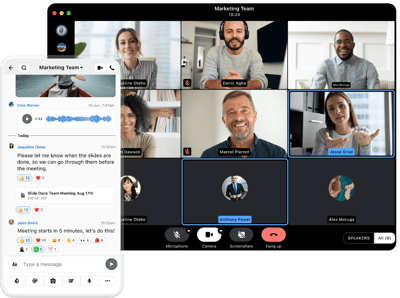
Applying zero trust to business communication requires protecting every message, call, user, device, and collaboration task. In most cases, companies don’t pay enough attention to the communication platform when implementing ZTA because these tools often sit outside traditional network and identity security controls, so security teams may focus first on infrastructure, applications, and access controls.
Yet, employees regularly exchange confidential documents and discuss sensitive information through these tools. Without security controls, communication platforms become a go-to entry point for attackers to access broader company information.
Wire, a European sovereign collaboration and messaging platform, is built with core zero trust principles to help you retain full control over your communication and data while minimizing the impact of security breaches. Here’s how:
- End-to-end encryption: Wire protects all messages, calls, and shared files with end-to-end encryption, helping keep communication content confidential, including from Wire itself.
- Device identity verification: Our platform lets administrators certify, renew, or revoke device trust through their existing identity provider, so a device has to be explicitly trusted before it can participate in a conversation, and that trust can be revoked the moment a device is compromised or lost.
- Protection from infrastructure operator access: Wire's architecture is built so that even Wire's own administrators can’t access message content, which matters for the assume-breach principle since it removes a single point of failure that many collaboration platforms still carry.
- Controlled external collaboration: Guest links and federation let you bring in partners, suppliers, or emergency responders into a specific conversation without granting broader access to internal systems or requiring the external party to hold a Wire account.
- Identity and access management: SSO and SCIM integrations help organizations manage user access, automate provisioning, and revoke access when employees leave.
- Deployment flexibility: Self-hosted and private-cloud deployment options give you greater control over the communication infrastructure and data.
Lastly, our messenger has an intuitive user interface, which makes it very easy for employees to start using it from day one, while giving security teams all the security controls they need to ensure secure communication. This makes Wire a great alternative to mainstream tools like Slack or MS Teams.
1,800+ organizations already use Wire to secure the conversations and files employees use every day. Read their testimonials here.
Or, get in touch with us to explore how Wire can support your organization's secure communication requirements.
Frequently Asked Questions